
Salesforce
Rencore monitors Salesforce across 22 governance policies, 7 reports, and 13 inventories, detecting over-privileged permission sets, unrestricted connected apps, stale OAuth tokens, and underused licenses automatically.
Rencore Salesforce governance is a set of 22 policies, 7 reports, and 13 inventories that continuously audit Salesforce for over-privileged access, unrestricted connected apps, stale OAuth tokens, and unused licenses. It detects permission sets that grant Modify All Data, connected apps open to all users, users inactive for 180 days who still hold assignments, and license pools below their utilization thresholds.
See Salesforce in Rencore
Every Salesforce object Rencore discovers and inventories across your tenant.
The governance policies Rencore evaluates against Salesforce, with severity and category.
Built-in Salesforce reports and analytics views in Rencore.
Why govern Salesforce with Rencore
Control privileged access
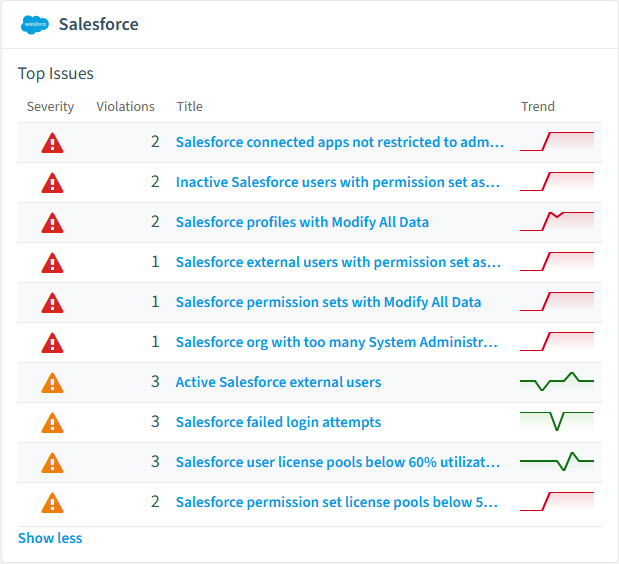
Detect permission sets and profiles that grant Modify All Data, orgs with too many System Administrators, and inactive users who still hold permission set assignments. Flag permission sets without a description so privilege stays documented.
Govern connected apps and OAuth
Find connected apps open to all users, apps not restricted to admin-approved users, OAuth tokens unused for 180 days, and connected apps not modified in over a year. Prioritize by reach and access scope.
Manage user and external lifecycle
Identify users not logged in for 180 days, active external users, and external users with permission set assignments. Track failed login attempts to spot accounts under pressure.
Recover unused licenses
Flag user license pools below 60% utilization, permission set license pools below 50%, and unused permission sets so license spend matches real usage.
What Rencore discovers
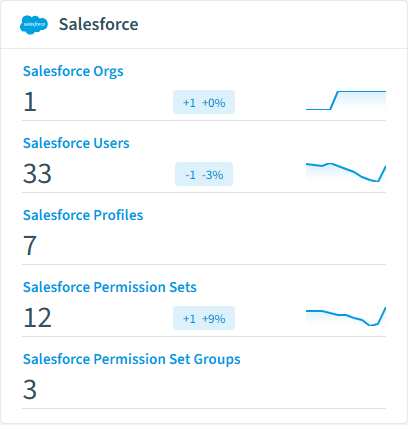
Rencore automatically inventories these Salesforce object types.
How Salesforce governance works in Rencore
Rencore connects to Salesforce and inventories orgs, users, profiles, permission sets, permission set groups, connected apps, OAuth tokens, login history, roles, and license assignments. Policies evaluate each object on every scan cycle and flag violations with severity and a recommended action.
The multi-platform access governance challenge
Salesforce holds customer data and runs outside Microsoft 365, so its privileged access and connected-app risks are invisible to Microsoft Purview and Entra ID reviews. Rencore brings Salesforce access governance into the same dashboard as your Microsoft 365 governance, applying consistent privilege and lifecycle checks across both platforms.
Who uses Salesforce governance
IT administrators use it to keep permission sets and connected apps clean. CISOs rely on the privileged-access and OAuth policies to limit data exposure. Heads of IT use the license reports to right-size Salesforce spend against actual usage.
Getting started
Provide Rencore with Salesforce API access. All 22 policies activate on the first scan, covering users, profiles, permission sets, connected apps, and OAuth tokens. Reports and segments populate as soon as the first inventory completes.
Policies
22 governance rules that detect violations and risks.
Need a rule that isn't listed? Rencore's Policy Builder lets you create custom policies tailored to your organization.
Reports
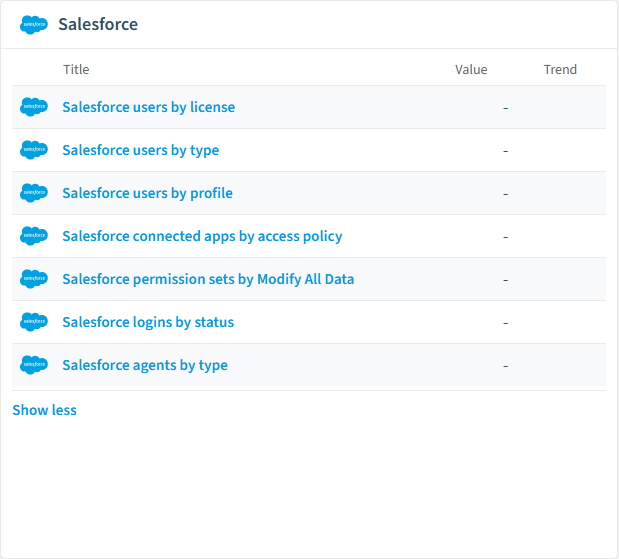
7 analytics views and dashboards.
Automations
5 automated remediation workflows.
Segments
8 data groupings for targeted filtering.
Frequently asked questions
What governance areas does Rencore cover?
What is Rencore governance?
How do Rencore policies work?
Related guides
Trusted by










