
Power Automate
Rencore monitors Power Automate across 13 governance policies, 5 reports, and 6 inventories, detecting flow sprawl, DLP violations, and inactive automations automatically.
Rencore Power Automate governance is a set of 13 policies, 5 reports, 4 segments, and 6 inventories that continuously audit Power Automate flows, connectors, and environments for sprawl, DLP compliance gaps, and operational risks. It detects flows using blocked connectors, flows without assigned owners, inactive automations consuming API capacity, and flows with excessive error rates.
See Power Automate in Rencore
Every Power Automate object Rencore discovers and inventories across your tenant.
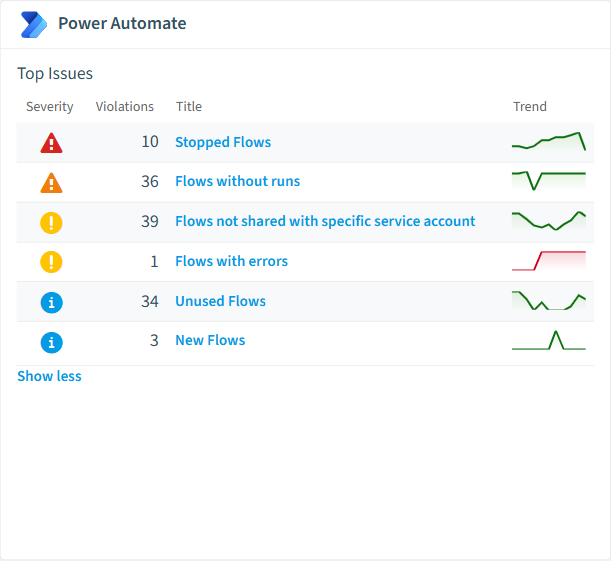
The governance policies Rencore evaluates against Power Automate, with severity and category.
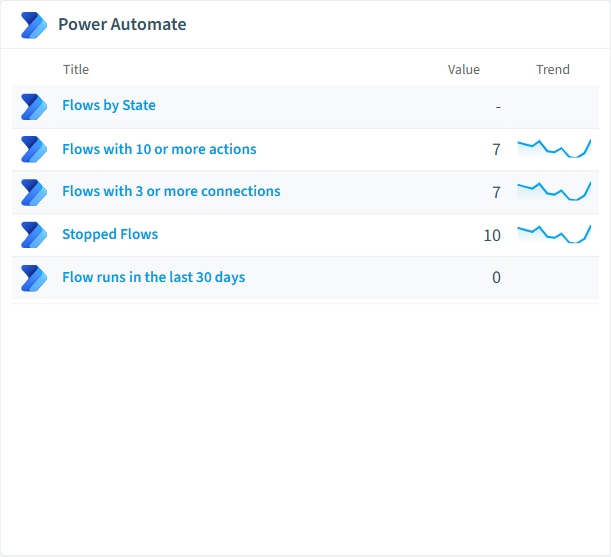
Built-in Power Automate reports and analytics views in Rencore.
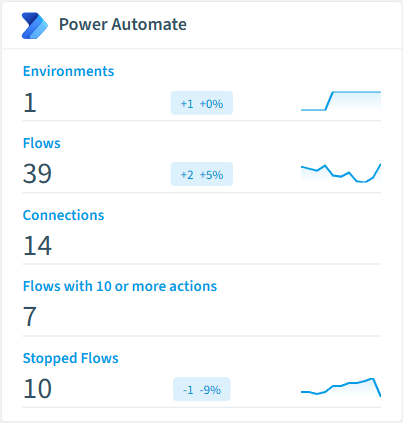
The Power Automate governance dashboard, summarizing risks and status at a glance.
Why govern Power Automate with Rencore
Control flow sprawl
Detect inactive flows without executions in 90+ days, flows without assigned owners, and flows created outside approved environments. Automate cleanup with approval workflows.
Enforce DLP and connector policies
Identify flows using connectors that violate DLP policies, flows connecting to external APIs outside the approved list, and flows with premium connectors assigned to users without proper licensing.
Monitor flow health
Find flows with excessive error rates, flows consuming disproportionate API capacity, and automations that run successfully but process no data. Reports show execution trends and connector usage.
What Rencore discovers
Rencore automatically inventories these Power Automate object types.
How Power Automate governance works in Rencore
Rencore connects to Power Automate via the Power Platform API and inventories flows, connectors, environments, and execution history. Policies run on every scan cycle and flag sprawl, DLP compliance, and operational issues with severity levels and recommended actions.
Who uses Power Automate governance
M365 product owners use it to maintain a clean automation environment alongside their Teams and SharePoint governance. IT administrators track flow health and enforce connector policies. CISOs review DLP compliance to ensure flows don’t bypass data protection controls.
Getting started
Connect your Microsoft 365 tenant. Power Automate policies activate on first scan alongside your existing M365 governance. No per-environment configuration needed.
Policies
13 governance rules that detect violations and risks.
Need a rule that isn't listed? Rencore's Policy Builder lets you create custom policies tailored to your organization.
Reports
5 analytics views and dashboards.
Automations
2 automated remediation workflows.
Segments
4 data groupings for targeted filtering.
Provisioning templates
1 resource creation templates.
Frequently asked questions
What governance areas does Rencore cover?
What is Rencore governance?
How do Rencore policies work?
Related guides
Trusted by










