
Intune
Rencore monitors Microsoft Intune across 23 governance policies, 24 reports, and 17 inventories, detecting non-compliant devices, stale configurations, and policy drift automatically.
Rencore Intune governance is a set of 23 policies, 24 reports, 35 segments, and 17 inventories that continuously audit Microsoft Intune for device compliance gaps, configuration drift, and app management issues. It detects devices out of compliance, configuration profiles not applied successfully, stale app deployments, and conditional access policies with gaps in coverage.
See Intune in Rencore
Every Intune object Rencore discovers and inventories across your tenant.
The governance policies Rencore evaluates against Intune, with severity and category.
Built-in Intune reports and analytics views in Rencore.
The Intune governance dashboard, summarizing risks and status at a glance.
Why govern Intune with Rencore
Enforce device compliance
Detect devices that fail compliance policies, devices without encryption enabled, and managed devices that haven't checked in within policy. Segment findings by OS, department, and risk level.
Detect configuration drift
Identify configuration profiles that failed to apply, policies with conflicting settings, and conditional access rules with coverage gaps. Reports show compliance trends over time.
Manage app lifecycle
Find app deployments that failed installation, apps assigned to groups without active members, and outdated app versions still deployed across the device fleet.
Report on device estate
24 reports cover device inventory, compliance status, app installation status, and configuration profile assignment. Segment the device estate by OS, enrollment type, and ownership.
What Rencore discovers
Rencore automatically inventories these Intune object types.
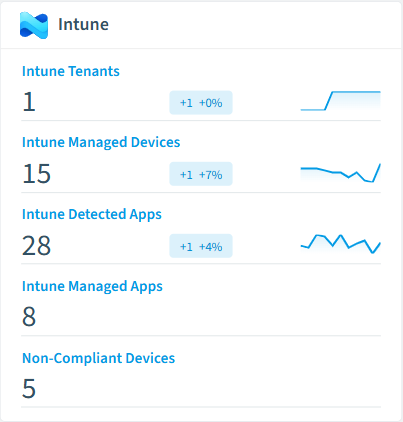
How Intune governance works in Rencore
Rencore connects to Microsoft Intune via Microsoft Graph API and inventories devices, compliance policies, configuration profiles, apps, and conditional access rules. Policies run on every scan cycle and flag compliance failures, configuration drift, and app management issues with severity levels.
Who uses Intune governance
IT administrators use it to maintain compliance across the managed device fleet and detect configuration drift. CISOs rely on device compliance policies to ensure encryption, patch levels, and conditional access rules meet security requirements. M365 product owners use the reports to track endpoint governance alongside their broader M365 governance posture.
Getting started
Connect your Microsoft 365 tenant. Intune policies activate on first scan alongside your existing M365 governance. No additional agent installation required beyond standard Microsoft Graph permissions.
Policies
23 governance rules that detect violations and risks.
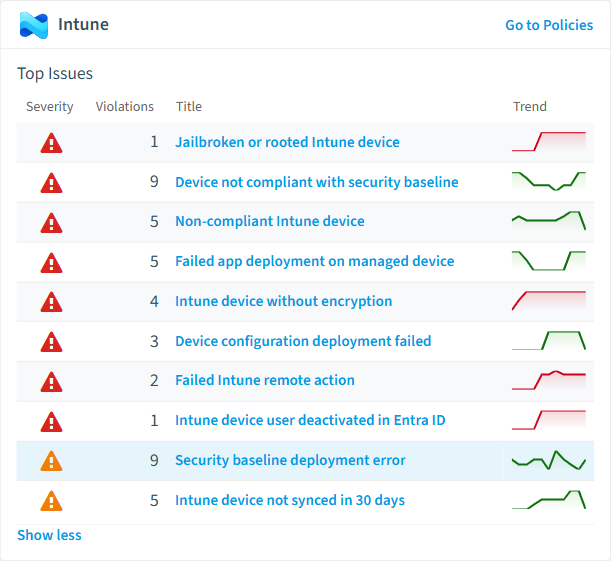
Need a rule that isn't listed? Rencore's Policy Builder lets you create custom policies tailored to your organization.
Reports
24 analytics views and dashboards.
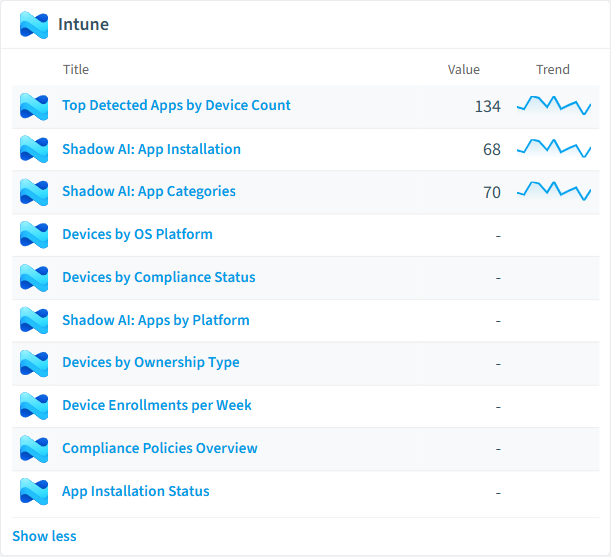
Automations
5 automated remediation workflows.
Segments
35 data groupings for targeted filtering.
Frequently asked questions
What governance areas does Rencore cover?
What is Rencore governance?
How do Rencore policies work?
Related guides
Trusted by










